Reproduce first
A bug card's Plan stage makes the failure happen, and only then explains it. The planning agent is told not to read code for the cause until it has a script that fails for the reported reason.
Reproduce firstA prep cook does the prep so the chef can cook.
Prepcook does the prep on a bug — reproduces it, explains it, fixes it, reviews the fix, opens the pull request — and the engineer who owns the ticket signs off. Each ticket is a card on a local board, each stage of the card is worked by a coding agent in its own git worktree, and when a person takes the ticket over, Prepcook steps aside.
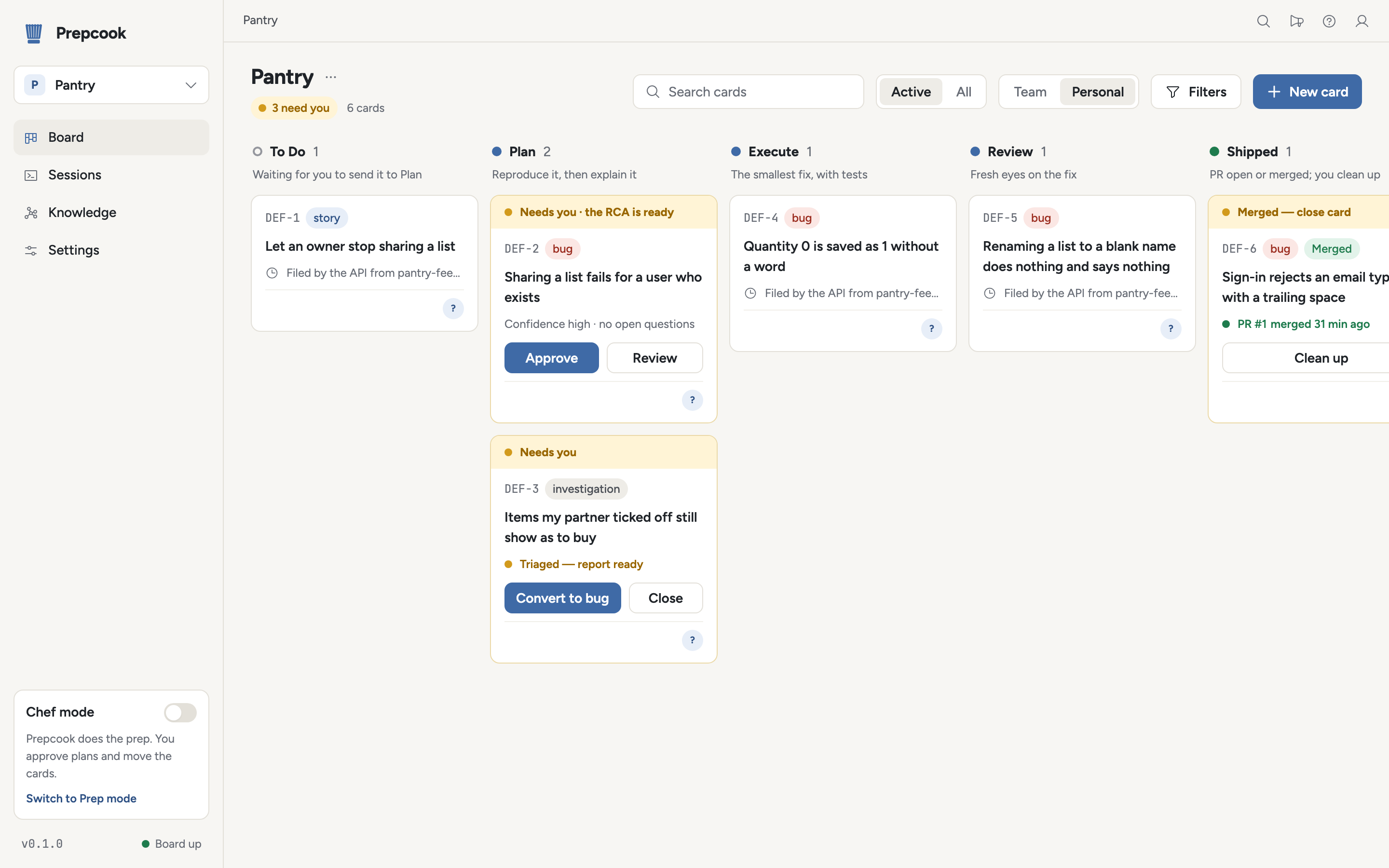
The board
A card moves through five stages, left to right across the board.
Reproduce it, then explain it
Prepcook stands the app up in the card's worktree and an agent reproduces the bug first, with a harness that fails for the reported reason. Only then does it write the root-cause analysis (RCA): what happens, why, and how sure it is. A person approves it, asks for changes, or sends it back.
The smallest fix, with tests
A new session makes the smallest fix for the mechanism the RCA isolated and keeps at it until the reproduction passes, adding regression tests. It commits on a branch rebased onto the target branch and does not push.
Fresh eyes on the fix
A separate agent reviews the change in a fresh worktree, with the diff, the code around it and the reproduction, and none of the planning context. When it asks for changes, its findings go back to the implementing agent to fix or rebut, for up to three rounds.
PR open or merged; you clean up
Prepcook pushes the branch and opens the pull request (GitHub) or merge request (GitLab), then feeds review comments on it back to the implementing agent. The card shows the pull request's state — open, CI failing, merged, closed without merging — and once it merges, the ticket is closed and the card waits for you to clean it up.
Worktrees archived
Prepcook runs the repository's clean-up script and archives the card's worktrees. Clean up never takes a card whose pull request is still open. Every approved RCA stays in a knowledge store, linked into a graph of root causes, so a cause that keeps coming back becomes visible and opens a pattern review of its own.
The method
A bug card's Plan stage makes the failure happen, and only then explains it. The planning agent is told not to read code for the cause until it has a script that fails for the reported reason.
Reproduce firstEvery bug RCA goes into a knowledge store, linked into a graph of product areas, components and root-cause classes, so a cause that keeps coming back becomes visible and opens a pattern review of its own.
The knowledge store and the graphA separate agent reviews the change in a fresh worktree, with the diff, the code around it and the reproduction, and none of the planning context. Its findings go back to the implementing agent for up to three rounds.
The independent reviewIn Chef mode it works your tickets and you move the cards and approve each plan; in Prep mode it works on its own. An engineer who assigns a ticket to themselves takes it over, and Prepcook steps aside.
Working alongside peopleAn investigation card runs Plan exactly as a bug does, then posts a triage report and stops until a person converts it to a bug or closes it. In incidents mode, each open incident becomes one, and the report goes back to the incident as a note.
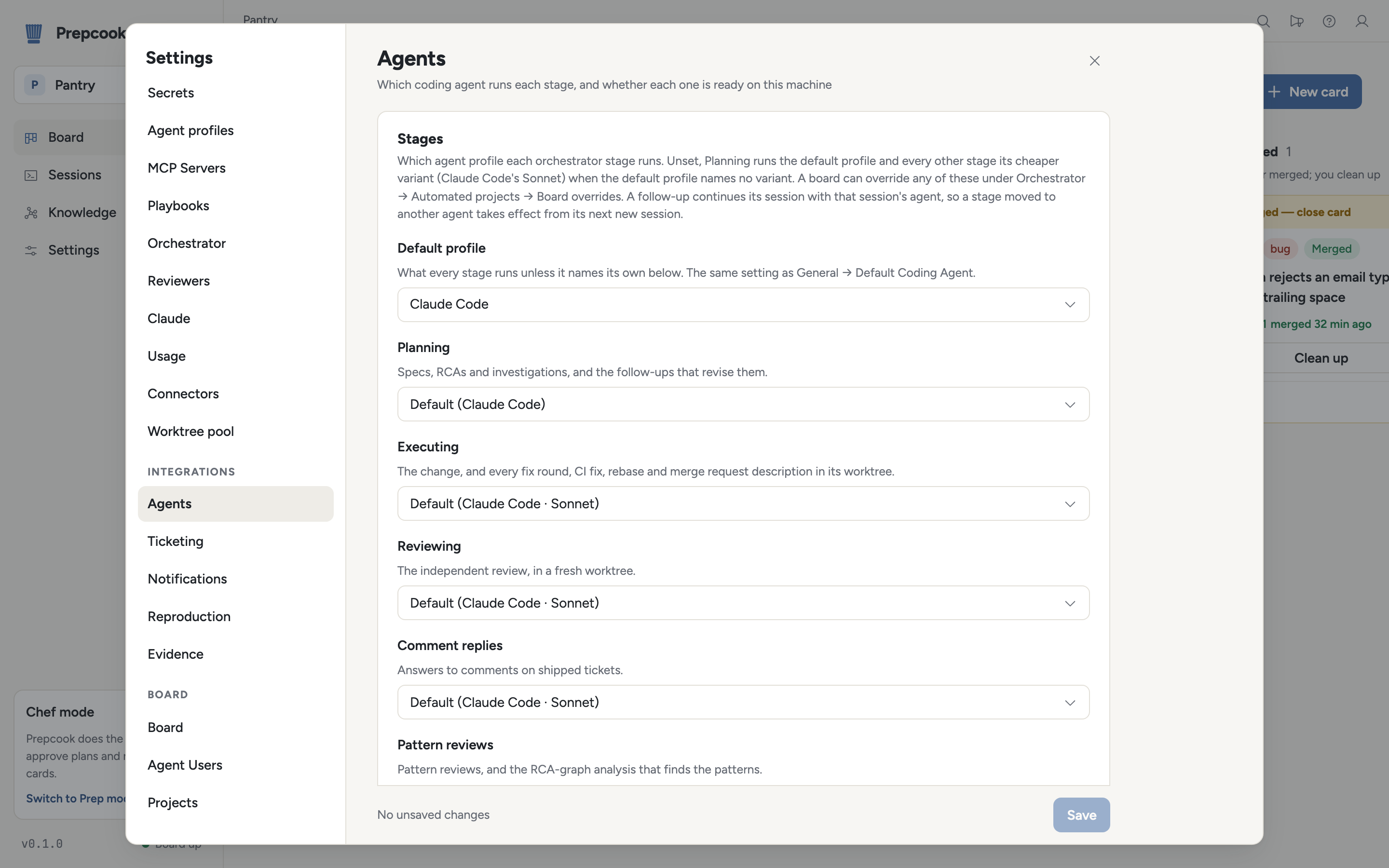
Investigations IncidentsNotifications, ticketing, reproduction, evidence and agents are each configured under Settings → Integrations, rendered from what each provider says about itself, with a Test connection button per provider.
Configuration The settings screensScreens
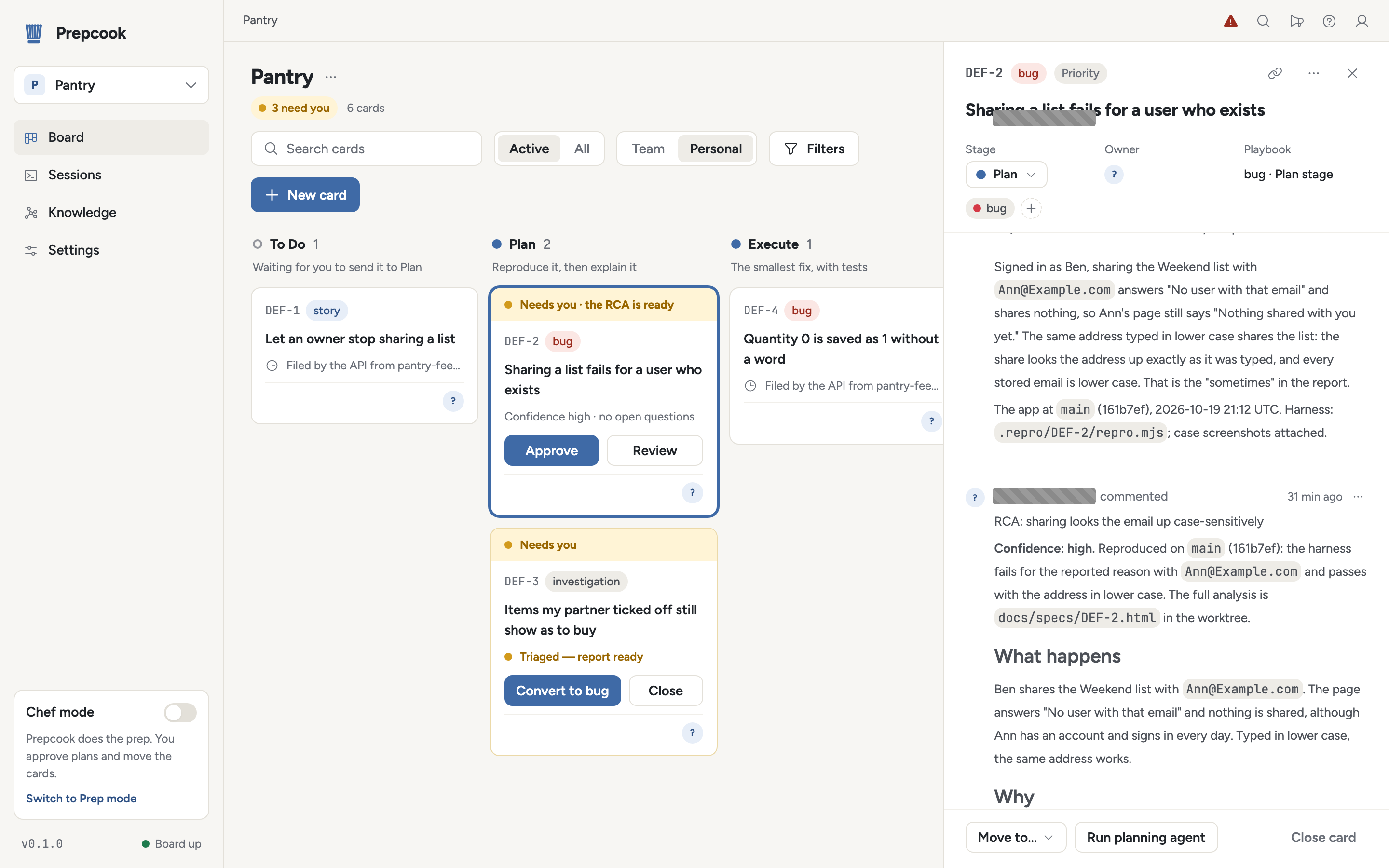
REPRODUCTION: comment and the RCA comment in view.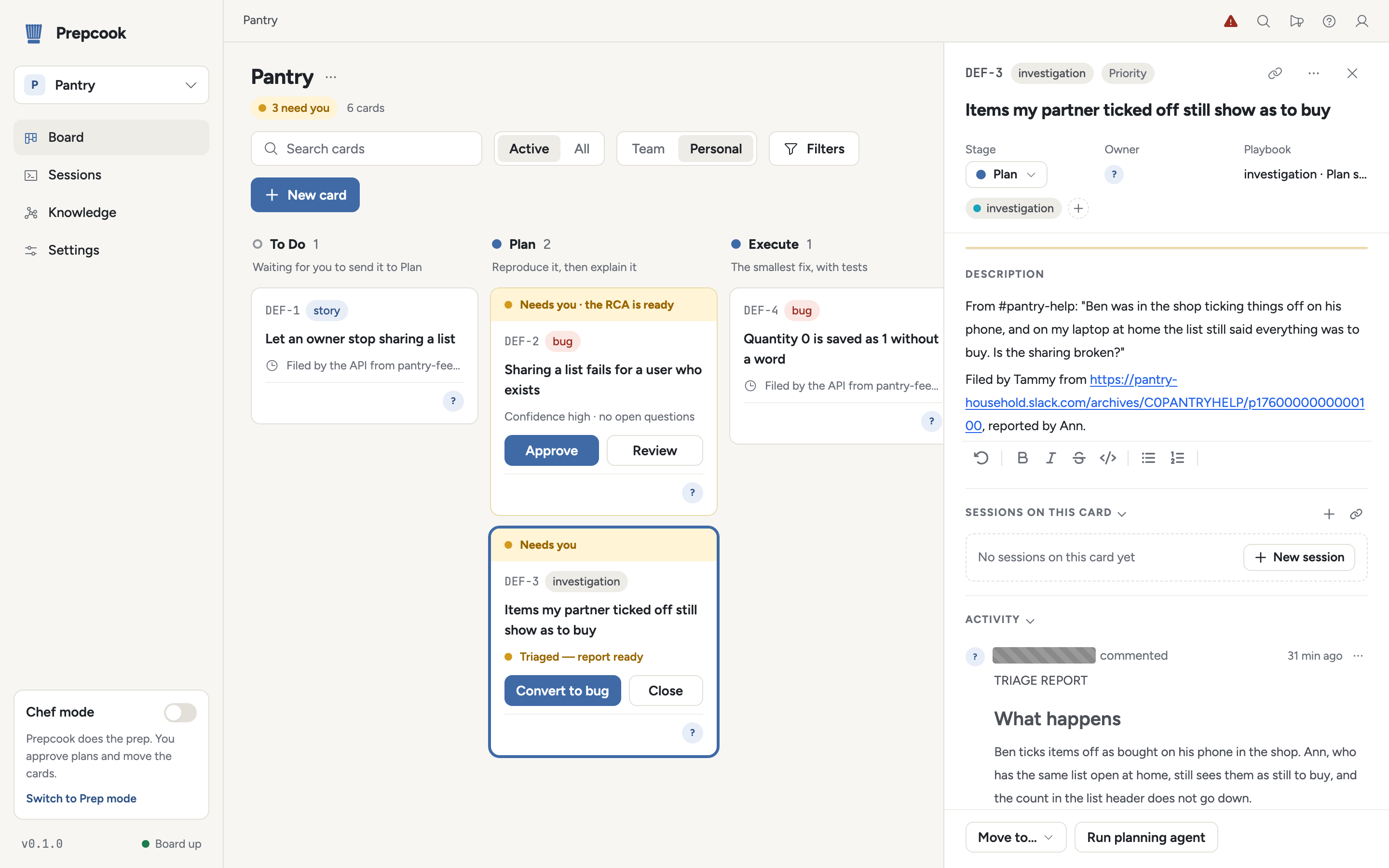
TRIAGE REPORT in view.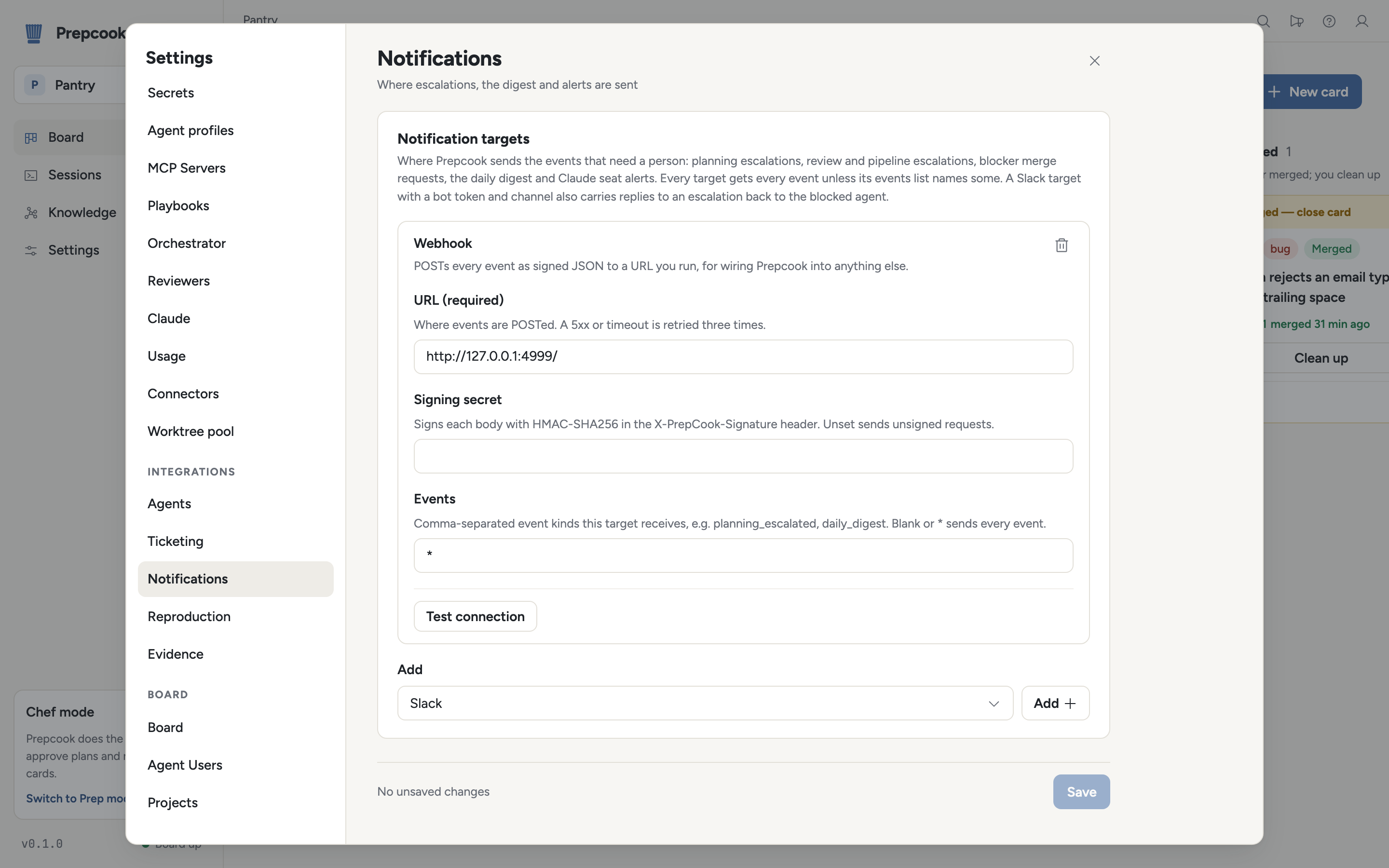
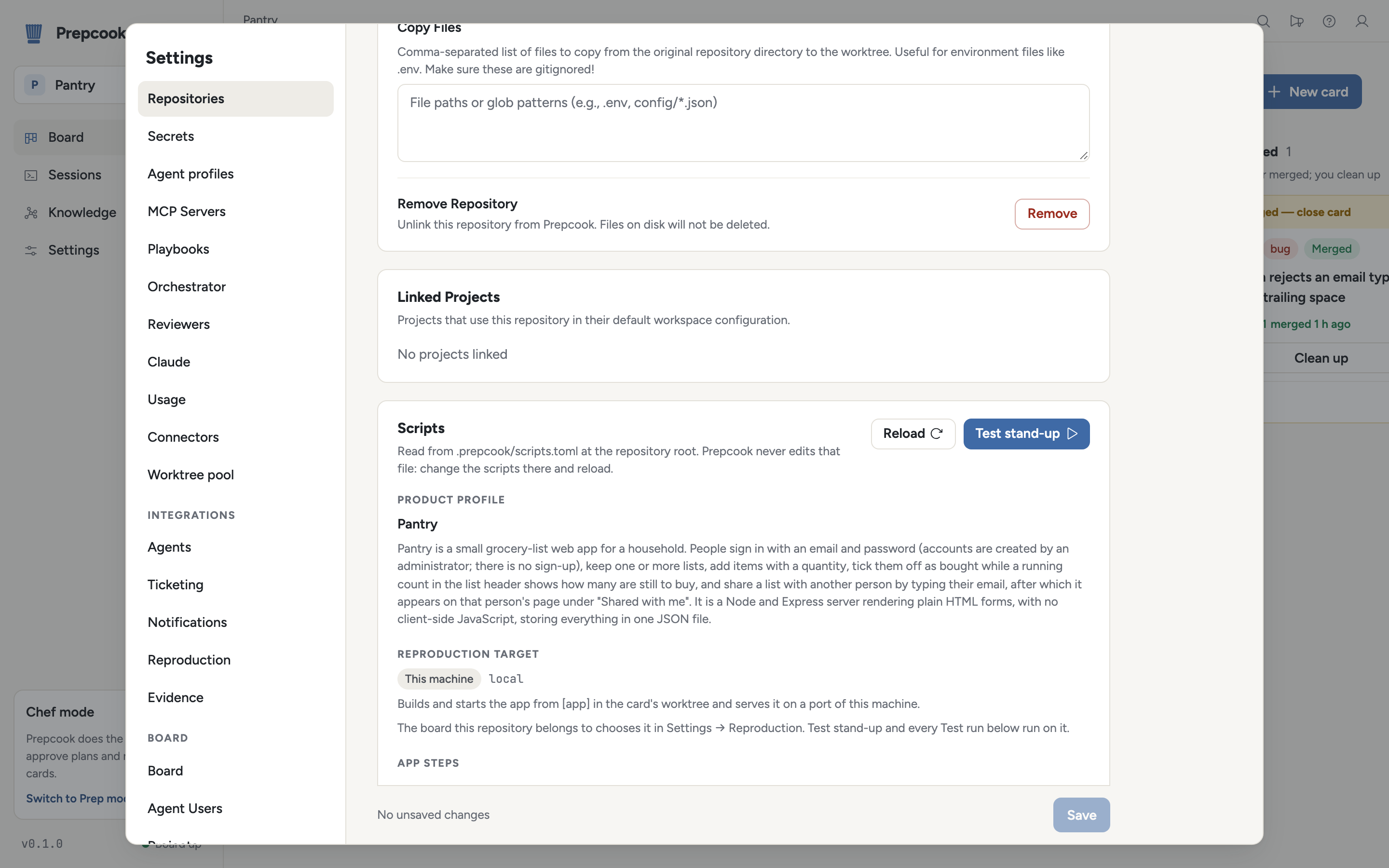
ok, the setup, start, ready and seed steps at exit code 0.Install
Node is already a prerequisite, so this is the quickest route: the
package downloads the release binaries for your platform on first run
and keeps them in ~/.prepcook/bin (npx-cli/README.md).
npx prepcook up
Fetch the tarball for your platform with curl, check it
against SHA256SUMS, and put prepcook and
prepcook-mcp in ~/.local/bin, which must be
on your PATH:
v=0.1.0 t=macos-arm64   # or macos-x64, linux-x64
curl -fsSLO "https://github.com/nwisehart/prepcook/releases/download/v$v/prepcook-$v-$t.tar.gz"
curl -fsSL "https://github.com/nwisehart/prepcook/releases/download/v$v/SHA256SUMS" | grep " prepcook-$v-$t.tar.gz$" | shasum -a 256 -c -
tar -xzf "prepcook-$v-$t.tar.gz"
mkdir -p ~/.local/bin
install -m 755 "prepcook-$v-$t"/prepcook "prepcook-$v-$t"/prepcook-mcp ~/.local/bin/
prepcook up
Downloaded from the
releases page
in a browser instead, the binaries are quarantined and, since they are
not notarized, macOS blocks the first run; clear it with
xattr -d com.apple.quarantine on both.
prepcook up runs the board from the published image
ghcr.io/nwisehart/prepcook-board:<version>, the
version of the prepcook binary that starts it; there is
nothing to pull by hand. To run the board elsewhere, see
crates/remote/README.md; to build from a checkout, see
Build, run and test.
Then follow the Quickstart: a bug from report to pull request on Pantry, the demo app.
